CB Sounddesign
Sweep deconvolution · Harmonic separation
Operator's manual · v1.0
Operator's manual · v1.0
CB IR Lab
Measures the impulse response of something real — a cabinet, a pedal, a room, an outboard EQ — by playing a sine sweep through it and deconvolving what comes back. It also separates the harmonic distortion products from the linear response, which is what distinguishes a measurement from a recording.
Calibrate
Round-trip latency, to the sample
Capture
Sweep out, response in
Deconvolve
Linear IR kept, harmonics shown
What deconvolution buys you
Recording a click through a device gives you a noisy, low-energy impulse. A sweep puts energy into every frequency for the whole sweep length, then mathematically collapses it back to an impulse — far better signal-to-noise, and the distortion products land at negative times where they can be separated out rather than smeared into the result.
Recording a click through a device gives you a noisy, low-energy impulse. A sweep puts energy into every frequency for the whole sweep length, then mathematically collapses it back to an impulse — far better signal-to-noise, and the distortion products land at negative times where they can be separated out rather than smeared into the result.
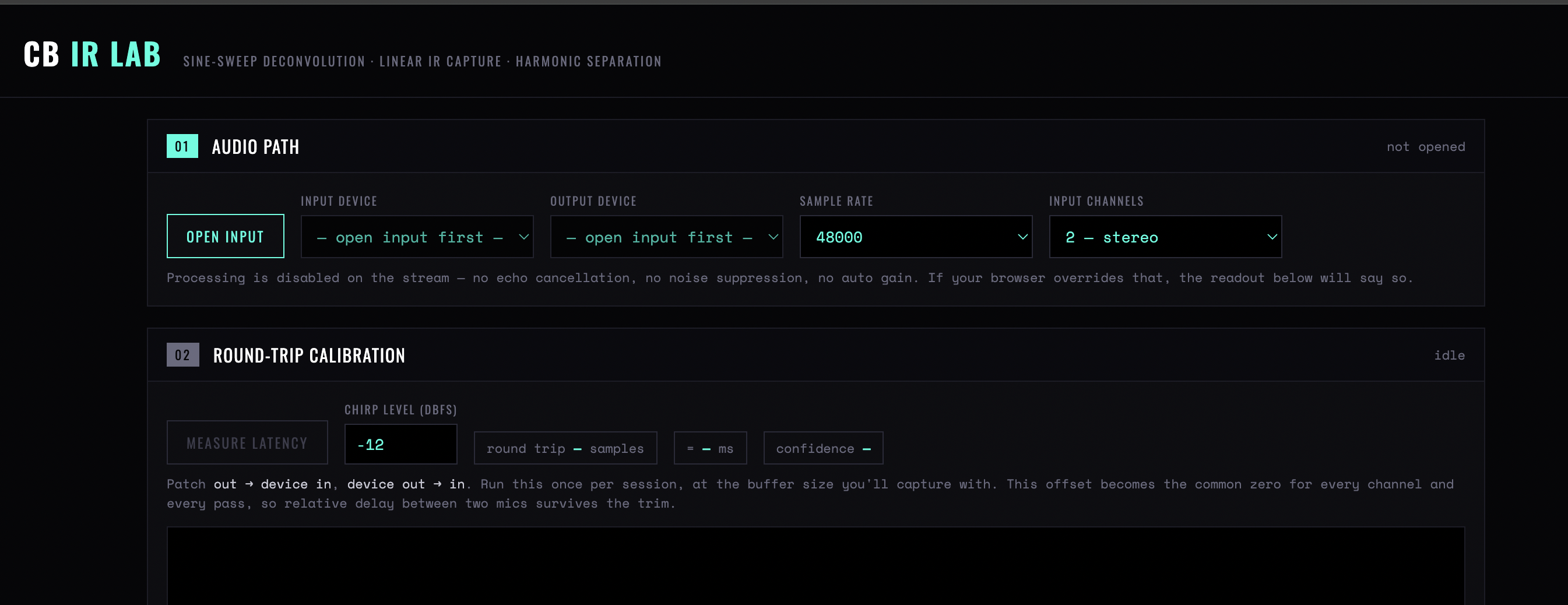
Figure 1 — Steps 01 and 02: the audio path, with stream processing disabled, and the round-trip calibration that becomes the common zero for every channel and pass
Chapter one
The audio path
Before anything else, the interface. Get this wrong and the measurement is of your computer, not your device.
Open input
Requests microphone access, which is how browsers expose any audio input. Until this is done, the device lists are empty and the page reads not opened.
Input / Output device
The interface, in and out. They should be the same physical device — measuring across two clocks adds drift that no calibration can remove.
Sample rate
Match the interface's own rate. A mismatch is resampled somewhere in the chain and the resampler ends up in your impulse response.
Input channels
Mono or stereo. Stereo for a cabinet with two mics or a stereo pedal; mono for everything else.
Turn off everything in the path
Any processing between the output and the input becomes part of the measurement: interface DSP, room correction, a limiter on the monitor bus, a plug-in left in a loopback chain. The IR will faithfully include all of it.
Any processing between the output and the input becomes part of the measurement: interface DSP, room correction, a limiter on the monitor bus, a plug-in left in a loopback chain. The IR will faithfully include all of it.
Chapter two
Round-trip calibration
The measurement is only as good as the latency figure. This step is not optional.
Patch
Which loop you are measuring: out → device in or device out → in. It sets what the calibration is compensating for.
Chirp level
Calibration signal level in dBFS. Loud enough to be well above the noise floor, quiet enough not to clip the input.
Measure latency
Sends a chirp and finds it coming back. Reports the round trip in samples and milliseconds, with a confidence figure.
Confidence
How certain the detection is. Low confidence means the signal was buried in noise or the loop is not actually closed — fix that before capturing, because a bad latency figure shifts the whole IR and misaligns the harmonic separation.
When to re-measure
Any change of interface, buffer size, sample rate or patching. The figure belongs to the chain, not to the tool.
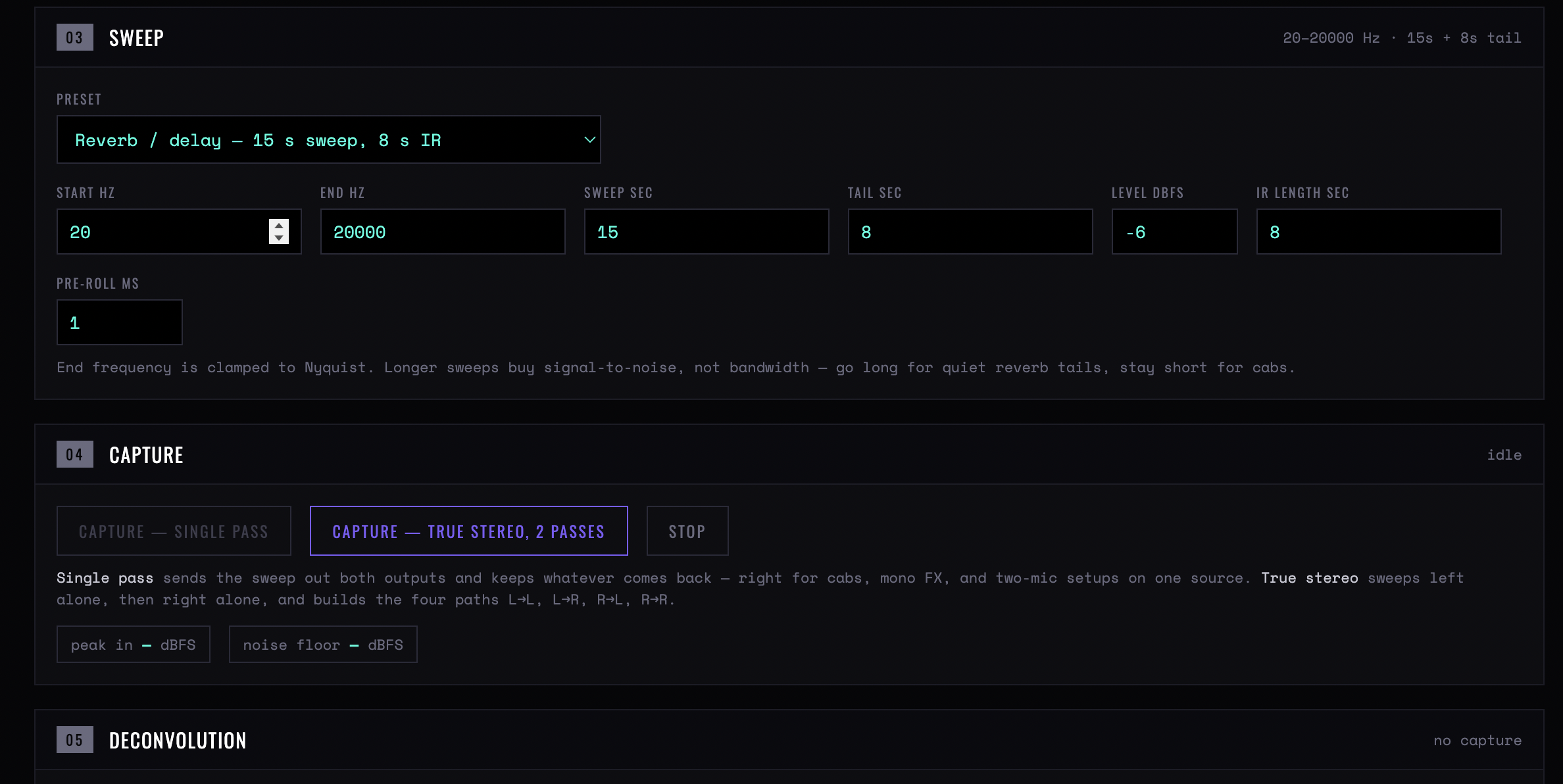
Figure 2 — Steps 03 to 05: the sweep with its preset and parameters, the two capture modes with the peak and noise-floor readouts, and deconvolution waiting on a capture
Chapter three
The sweep
Three presets that cover most work, and manual control when they do not.
Cabinet / speaker
A 3-second sweep for a 200 ms IR. Short, because a cabinet's response is short and a longer sweep only collects more room.
Short FX / EQ / filter
5-second sweep, 1-second IR. For pedals, EQs, filters — anything whose response is longer than a speaker's and far shorter than a reverb's.
Reverb / delay
15-second sweep, 8-second IR. Long, because the tail has to be fully captured; the sweep must be longer than the decay or the tail wraps into the start.
Start / End Hz
Sweep limits. 20 Hz to just below Nyquist is the honest default; raise the start when measuring something with no low-frequency content to avoid exciting the room.
Sweep sec / Tail sec
Sweep length and the silence recorded after it. The tail must exceed the decay of what you are measuring.
Level dBFS
Sweep level. Loud enough for signal-to-noise, quiet enough that the device is not being driven into distortion — unless the distortion is what you are measuring, in which case the nonlinearity report is where you look.
IR length sec / Pre-roll ms
How much of the deconvolved result to keep, and how much before the impulse. A little pre-roll is worth keeping: it shows whether anything arrives before the impulse, which would mean the latency figure is wrong.
Chapter four
Capture
Capture — single pass
One sweep. Correct for mono sources and for a stereo device measured as two independent channels.
Capture — true stereo, 2 passes
Two sweeps, left then right, producing the four paths of a true stereo IR. Necessary for a stereo reverb, where the left input feeds both outputs differently.
Peak in
Input peak during capture. Should be healthy and short of clipping; a clipped capture is worthless and the tool cannot correct it.
Noise floor
Measured during the silence. The gap between peak and floor is the dynamic range of your measurement — below about 60 dB the tail of the IR is noise rather than decay.
Stop
Aborts. Nothing is kept.
Chapter five
Deconvolution and the window
What the tool produces, and why the picture has two parts.
Linear impulse (kept)
The device's linear response. This is the IR — the part a convolution reverb can reproduce.
Harmonic products (discarded)
The distortion, which the sweep method places before the impulse in time. Discarding them is what makes the result a clean linear measurement.
IR window
Where the kept portion begins and ends. Tighten it to exclude late room reflections; loosen it if the tail is being cut.
Magnitude response
The frequency response of the result. The sanity check: a guitar cabinet should roll off above 5 kHz, an EQ should show the curve you dialled in, and anything flat to 20 kHz means you have measured your interface rather than your device.
Nonlinearity report
How much distortion was present and at which harmonics, with each one's level relative to the linear response. A tube preamp shows substantial second and third harmonics; a clean EQ shows almost none. It is also the warning that your sweep level was too high.
Arrives before impulse
A harmonic listed as arriving before the impulse is normal and expected — that is the mechanism. The same note against the linear impulse itself means the latency calibration is wrong.
Chapter six
Normalize and export
Peak to −0.5 dBFS
Normalises each channel. Simple, and wrong for stereo: it destroys the level relationship between channels.
Group — preserve inter-channel level
Normalises the set together. The correct choice for any multi-channel IR.
Off — raw gain
No normalisation. The choice when the absolute gain of the device is part of what you are measuring.
Fade out ms
A short fade at the window's end, to avoid a click where the IR is truncated. A few milliseconds is enough.
Remove DC
Removes any offset. Leave it on; DC in an IR is never wanted.
Export IR — WAV
The finished impulse response. 24-bit for general use, 32-bit float if it goes back into analysis.
Export true stereo — 4 ch WAV
All four paths in one file, in the layout true-stereo convolvers expect. Only meaningful after a two-pass capture.
Chapter seven
A measurement, start to finish
- Patch and open the input. Same interface both ways, all processing bypassed.
- Calibrate. Measure latency until confidence is high. Do not proceed on a poor figure.
- Pick the preset that matches the device. Cabinet, short FX or reverb — the sweep length must exceed the decay.
- Set the level by the peak meter. A healthy peak, no clipping, and a look at the noise floor before committing.
- Capture. Single pass unless the device is genuinely stereo in and out.
- Read the magnitude response first. If it does not look like the device, something in the chain is wrong and the IR is not worth keeping.
- Check the nonlinearity report. High harmonics mean either an interesting device or too hot a sweep; re-measure quieter to tell which.
- Window, normalise as a group, export. Name the file with the device and the mic position — in a year that is all you will have.
CB Sounddesign · IR LabOperator's manual · v1.0